Protected
Staff working from home
Safe access to company apps without a slow, clunky VPN.

Managed SASE for PNG and the Pacific
Your staff work from head office, branches, home and remote sites, and your apps now live in Microsoft 365 and Azure. SASE puts your firewall, web protection and secure remote access in the cloud, so every user gets the same protection on any connection. Sprint Networks sets it up, runs it and watches it 24/7.
Safe access to company apps without a slow, clunky VPN.
The same security at a PNG outstation as at head office.
Control what is shared, and stop company data leaking out.
Only approved people and devices can reach them. Nobody else.
Watch staff at home, a branch and a remote site connect through our secure cloud. Pick any step below, or let it play.
Whether staff are at head office, a branch, at home or on a remote PNG site, their traffic goes through our secure cloud first. There it is checked, cleaned and sent on to the app they need.
Why it matters: the same protection for every user, on fibre, 4G or Starlink.
Before anyone reaches the ERP or a file server, we check who they are, that their device is healthy, and that they are allowed that app. They get that one app, not the whole office network.
Why it matters: a stolen password or lost laptop can’t open the door to everything.
Every website is checked on the way out. Fake login pages, malware sites and risky downloads are stopped before they reach a laptop, wherever the user is working.
Why it matters: one bad click is the most common way attacks start.
A next-generation firewall and intrusion prevention sit in the cloud, in front of every user. Attacks and scans are blocked before they reach your people or your sites.
Why it matters: head-office protection for staff who are nowhere near head office.
We control which cloud apps can be used and what can be shared. Sensitive files such as payroll can’t be sent to personal file sharing, and suspicious attachments are tested safely first.
Why it matters: protects customer and staff data, and your reputation.
Our engineers in Port Moresby and Sydney monitor every user, site and alert around the clock, and act on threats before they become incidents.
Why it matters: enterprise security without hiring your own security team.
Built for the Pacific
Most businesses still protect one head office, while staff, apps and data now live everywhere. SASE closes that gap.
Slow VPNs that keep dropping
No more routing everything back through head office over a patchy link. Users go through the nearest secure cloud point to their app.
Apps moving to Microsoft 365 and Azure
The firewall and web protection sit in the cloud, next to your apps, instead of in a box at one office.
Small IT teams, remote sites
We design, set up, update and monitor everything. Your team gets one number to call and clear monthly reports.
What’s included
In plain English, with the industry name in brackets.
Zero Trust Network Access (ZTNA)
Staff reach only the apps they are approved for, after their identity and device are checked.
Secure Web Gateway and URL filtering
Blocks phishing, malware sites and risky downloads for every user, on any connection.
Firewall as a Service (FWaaS) and IPS
A next-generation firewall and intrusion prevention in the cloud, with anti-malware built in.
Cloud Access Security Broker (CASB)
See which cloud apps staff use, allow the approved ones and control what can be uploaded or shared.
Data Loss Prevention (DLP)
Stops sensitive files such as payroll, customer or patient records leaving the business by mistake or on purpose.
Malware sandboxing
Unknown attachments and downloads are opened safely in an isolated space first, and only released if they are clean.
Real result · Fiji
Golden Manufacturers Limited makes the packaging and labels behind some of Fiji’s best-known products, and runs the business on Microsoft Dynamics 365 Business Central in Azure. Everything depended on a single connection, and staff needed a safe way to reach the ERP away from the office.
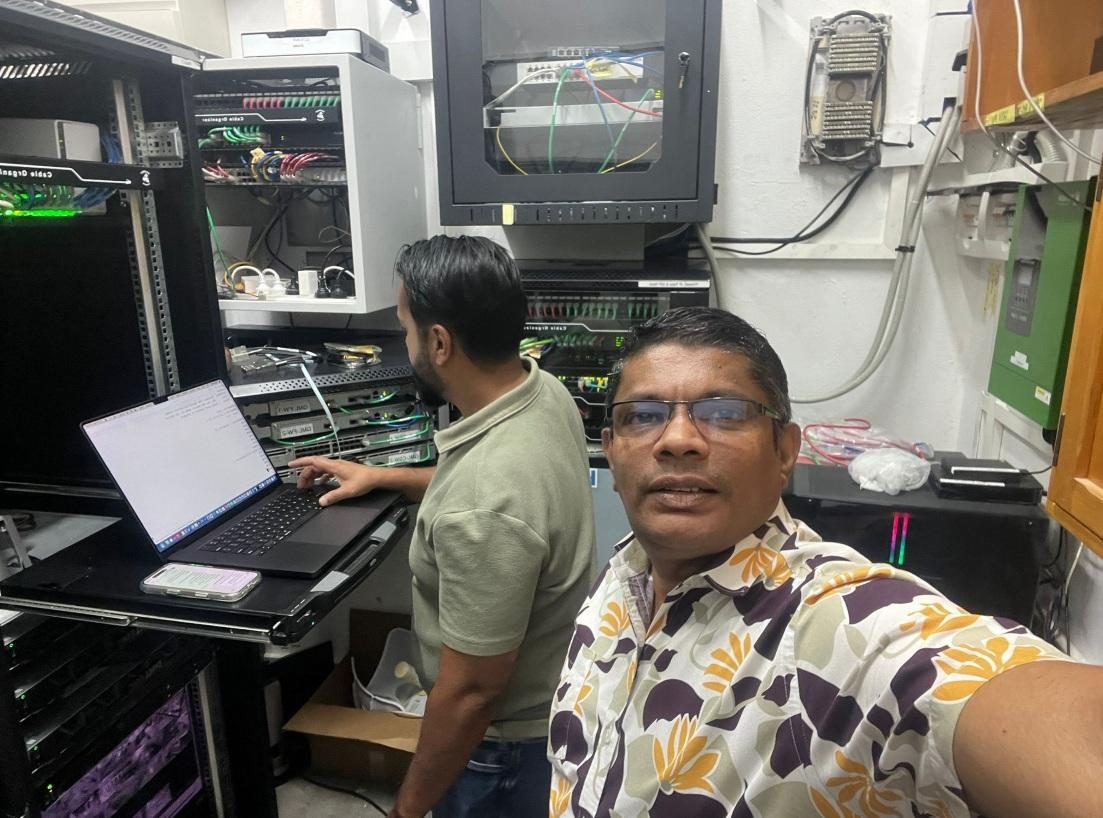
“The added layer of security is a vital step in protecting our group of company assets.”
Prasanna Sooriyabandara, IT Manager, Golden Manufacturers LimitedPackages
Priced per user, per month. Tell us how many people and sites you have, and we’ll send a clear quote with no hidden costs.
For teams who need safe access to the ERP, file servers and internal apps from anywhere.
For safe web browsing and cloud app use, wherever your people work.
Everything in both packages, plus extra protection for your data.
How we deliver it
No big-bang change. We prove it with a small group first, then move everyone across.
We look at how your people, sites and apps connect today, and where you are exposed.
We design the setup around your apps and test it in our Sydney lab before it touches your business.
Staff move across in small groups, so work carries on as normal. Most businesses are live in 1 to 2 weeks.
We monitor, update and support everything around the clock, with regular reports you can understand.
SASE (Secure Access Service Edge) moves your firewall, web protection and secure remote access into the cloud. Every user connects through it, wherever they are, so everyone gets the same protection on any connection.
A VPN usually connects a user to the whole office network through one head-office firewall. SASE checks each user and device, gives access only to the apps they need, and protects their internet use too, without sending everything back through head office.
Zero Trust Network Access means nobody is trusted by default. Each time someone connects, we check who they are, that their device is healthy and that they are allowed that app. They get that app only, not the whole network.
Yes. SASE works over any internet connection, including fibre, 4G/5G and Starlink, so staff at remote sites and at home get the same protection as head office.
Most businesses are live in 1 to 2 weeks. We test the design first, then move staff across in small groups so work carries on as normal.
Yes. Our quotes include setup, configuration and licence activation for every user. Licences run for 12 or 36 months.
SASE is priced per user, per month, depending on the package and the number of users and sites. Book a free security review and we’ll send a clear quote with no hidden costs.
Yes. SD-WAN keeps your sites connected over the best link, and SASE protects every user and app. Together they give you fast, reliable and secure access from every office, branch and remote site.
Sprint Networks designs, sets up and manages the whole service, with engineers in Port Moresby and Sydney monitoring it 24/7.
Tell us how your staff, sites and apps connect today. A senior engineer will show you the gaps and what it takes to close them.
Prefer to pick a time? Schedule a call · Partner or service provider? Ask about partner pricingLet’s talk
A senior engineer will look at how your people, sites and apps connect, and show you where you are exposed. No obligation.
Loading the form…
Prefer to talk? Call +675 7091 1403 or WhatsApp us.