

ZTNA for PNG businesses gives employees, contractors and branch teams secure access to the applications they need without opening the wider business network. For organisations operating across Papua New Guinea and the Pacific, that means practical protection for everyday remote work, cloud systems and ERP access.
A finance manager working away from the office needs to approve an invoice. A branch employee needs to check stock in the company’s ERP. An external IT contractor needs access to one application for maintenance.
Each person has a legitimate reason to connect. But how much of the business network should that connection open up?
For businesses in Papua New Guinea and across the Pacific with branch offices, travelling staff and cloud-hosted systems, controlling access is an important part of protecting everyday operations. Zero Trust Network Access, or ZTNA, helps give people access to the applications they need while keeping other systems outside their reach.
ZTNA for PNG businesses: what is Zero Trust Network Access?
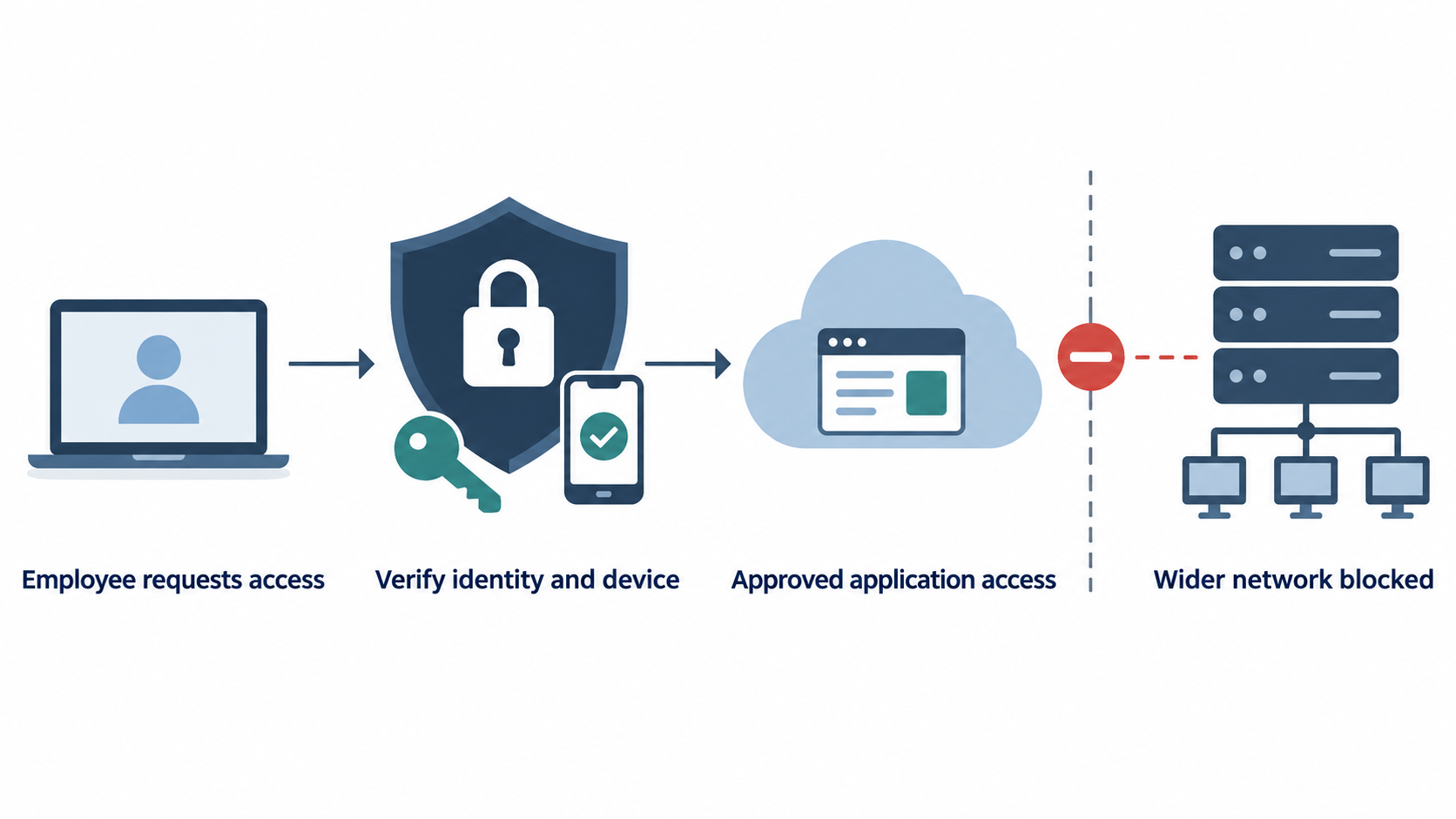
ZTNA controls access to business applications using identity and access policies. Being connected to the office network, or knowing a password, should not automatically make someone trusted to reach everything. This follows the zero trust principle that access must be evaluated rather than assumed from a user’s location.
For example, an employee authorised to use the ERP can be given a connection to that application without also opening a route to unrelated servers. The ERP’s own permissions still determine what the employee can view or change once signed in. This approach supports the principles outlined in NIST’s Zero Trust Architecture guidance.
How does it protect your business?
When someone requests access, a ZTNA service evaluates whether the connection meets the business’s rules. Depending on the solution and configuration, those checks can include the user’s identity, their assigned group, the application requested and the security condition of their device.
Multi-factor authentication can strengthen the sign-in process. Device checks can help restrict connections from computers that do not meet required security standards. Policies can also reassess access as conditions change. These capabilities must be configured around how the business actually works.
Consider a supplier maintaining a stock-management application. Their access can be limited to that application and removed when the work finishes. They do not need general connectivity to the company’s other systems.
What can go wrong when access is too broad?
The underlying risk is poorly controlled access. A business without ZTNA is not automatically insecure, but it needs effective controls that address the same problems:
- Stolen credentials can provide a wider foothold. If a compromised account can reach many systems, an attacker has more opportunities to explore the network.
- An infected device can put other systems at risk. Broad connectivity may help an attacker move from the original compromised device towards additional resources.
- Contractors can retain unnecessary access. Permissions that remain after a project ends create avoidable exposure.
- Staff can accumulate permissions they no longer need. Role changes and temporary responsibilities can leave access rights behind unless someone reviews them.
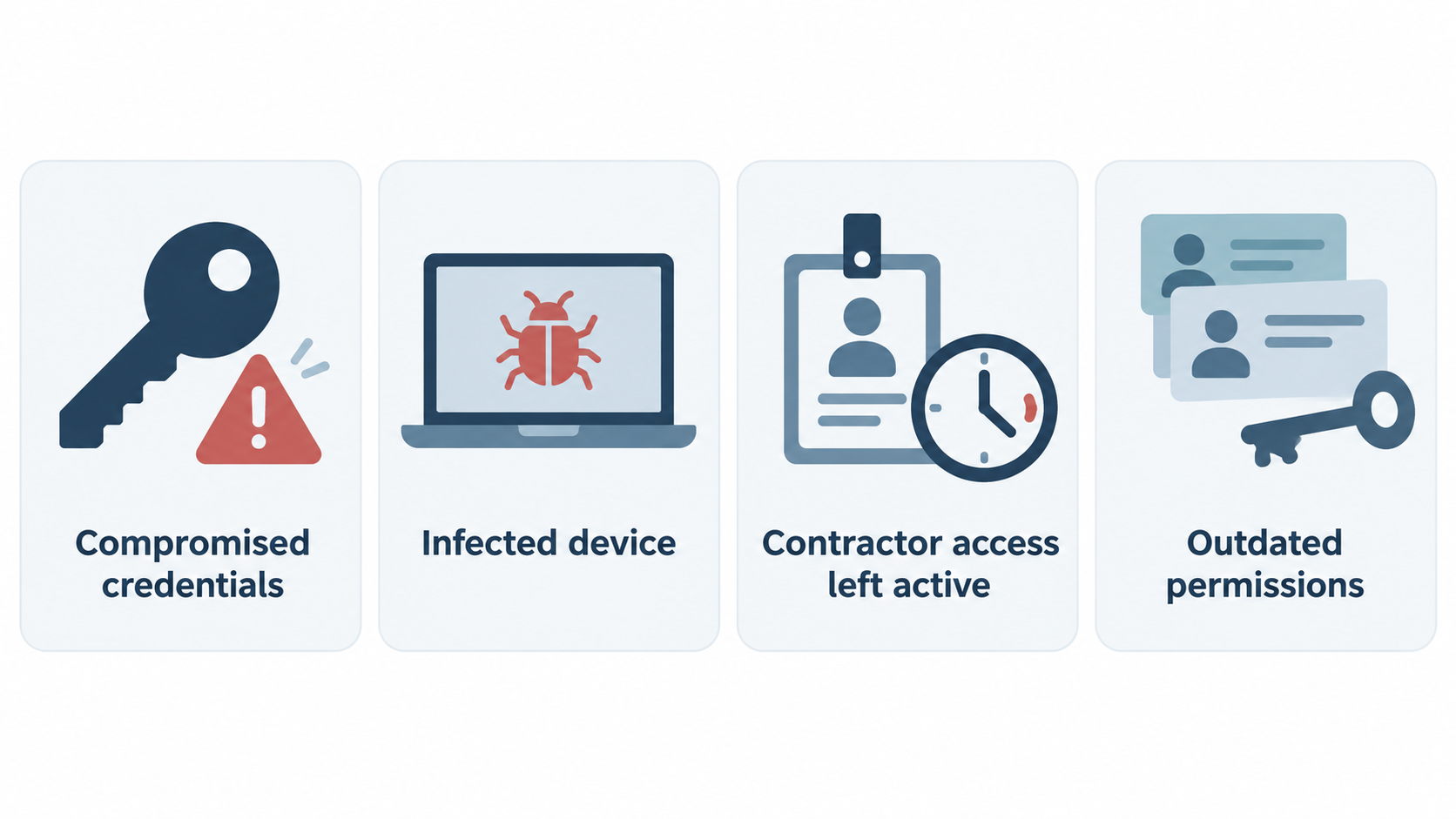
Restricting each connection to the resources required for the task helps reduce these opportunities. Protecting resources individually and applying minimum necessary access are central objectives of zero trust architecture.
Making ZTNA work in practice
A useful deployment starts by identifying the applications people need, who should use them and which devices they connect from. Access policies should then be tested with actual staff workflows before being introduced more widely.
Ongoing management matters too. Someone needs to review permissions, remove departing users, investigate unexpected access attempts and adjust policies when applications or responsibilities change.
ZTNA also works alongside endpoint protection, patching and backups. It controls access; it does not remove every threat affecting an authorised device or application, or solve unreliable internet connectivity.
A practical example from Sprint Networks
Sprint Networks applied ZTNA as part of its network and cloud connectivity project for Golden Manufacturers Limited in Fiji. The deployment enabled authorised employees to reach the company’s Microsoft Dynamics 365 Business Central ERP remotely without first granting broad access to the wider office network.
For PNG and Pacific businesses facing similar remote-access requirements, the practical question is straightforward: can your employees reach the systems they need without opening access to systems they do not?
If you need ZTNA for PNG businesses, explore Golden Manufacturers case study to see how secure remote access formed part of the wider HQ-to-Azure deployment, or contact Sprint Networks to discuss your business’s access requirements.
Frequently asked questions
What is ZTNA, and how does it protect business applications?
ZTNA gives authorised users access to specific applications according to access policies. It helps limit unnecessary access to other systems, reducing the reach of a compromised account or device.
Is ZTNA the same as secure ERP access?
No. Secure ERP access is the objective; ZTNA is one technology that helps achieve it. ERP permissions, multi-factor authentication and device security also contribute to protecting the system.
Can employees use ZTNA when working remotely?
Yes. ZTNA can allow authorised employees to connect to approved applications from outside the office, provided they have connectivity and meet the configured access requirements.
How did Sprint Networks use ZTNA for GML?
Sprint Networks enabled authorised GML employees to access their Business Central ERP remotely through ZTNA, without first granting broad access to the wider office network.