Online
Banking & finance
Branches, ATMs and payments that stay online, with every link encrypted.

Managed SD-WAN for PNG and the Pacific
For over a decade, Sprint Networks has designed, built and managed SD-WAN for organisations that can’t afford to go offline. We connect branches, clinics, mine sites and head offices across Papua New Guinea over fibre, 4G and Starlink, and our engineers in Port Moresby and Sydney watch every link 24/7.
Trusted by Westpac (PNG and Fiji), National Banking Corporation, Capital Insurance Group, Golden Manufacturers and many more.
Branches, ATMs and payments that stay online, with every link encrypted.
Clinical systems and patient records that can’t go down.
Remote camps and sites running on Starlink and 4G.
Secure, managed links between every office and region.
Watch traffic move between a branch and head office. Pick any feature below, or let it play.
We combine fibre, 4G/5G and Starlink or other satellite into one network. All links carry traffic together, instead of a backup link sitting idle.
Why it matters: you use all the bandwidth you pay for, and no single link can take a site offline.
SD-WAN checks every link’s speed, delay and loss many times a second, then sends each app down the link that suits it. Business apps and calls take the fastest link. Windows updates and backups go over Starlink or 4G.
Why it matters: Teams calls and ERP stay smooth, even when links are busy or patchy.
We sort traffic into priority lanes. Voice and video go first, business apps next, and backups and updates use whatever is left.
Why it matters: a big download can’t slow down a customer call, a payment or a stock order.
When a cable is cut or a link drops, traffic moves to the other links, typically in under a second. There’s no manual switchover and no waiting.
Why it matters: calls stay connected and sites keep trading while the fault is fixed.
For voice and critical apps, the branch copies each packet and sends it over two links at once. If one copy is lost to rain or congestion, the other gets through, and the hub drops the spare copy.
Why it matters: clear calls from remote sites, even in bad weather.
On satellite and long-distance links, every send normally waits for a reply from the far end. The branch device replies locally instead, so data keeps flowing and recovers from loss quickly.
Why it matters: files and cloud apps load faster at remote sites, even over satellite.
Data is scrambled before it leaves the branch and only unscrambled at the hub. Anyone tapping a link, including on the public internet, sees nothing useful.
Why it matters: your data stays private on any connection, including lower-cost internet links.
Next-generation firewalls at every branch and at the hub block attacks from the internet, and stop an infected device before it can reach head office.
Why it matters: every site gets head-office protection, with no extra boxes to manage.
Our engineers in Port Moresby and Sydney monitor every site and link around the clock, and often fix issues before you notice them.
Why it matters: one team to call, and clear reports on uptime and performance.
Built for the Pacific
Most SD-WAN is built and tested on fast, stable city fibre. Pacific sites deal with satellite delay, storms, long distances and very few IT staff on the ground.
Satellite delay and patchy 4G
Smart steering, priority lanes and packet duplication keep voice and ERP usable on long-delay and lossy links.
Cable cuts, storms and outages
Every site runs on two or more links at once, so losing one doesn’t stop trading, payments or production.
Remote sites, no local IT
Devices arrive pre-configured and are managed remotely by our team, so nobody needs to travel to a site to set it up.
Try it yourself
Switch links off and compare a traditional network with Sprint SD-WAN. This is a simplified example of how each one reacts.
One main link. The backup waits until someone switches over.
All links active. Each app sent down the best one.
Simplified illustration. Real results depend on your links, apps and site design. We’ll model your actual sites in a free network review.
Today we’re extremely proud to say we have one of the best IP data networks in PNG. The network performance is world-class.
Our expertise
Sprint Networks designs, deploys and manages SD-WAN for head offices, branches, mine sites, clinics and remote outposts across Papua New Guinea, Fiji, the Solomon Islands and the wider Pacific.
We’re vendor-agnostic. We test every platform on real Pacific links before we recommend it, and we choose the one that fits your sites, not the one that fits a sales target.
We deploy across:
Client snapshot · Westpac, PNG and Fiji
Every design is proven on real island links: satellite delay, storms and long distances, not just city fibre.
Fibre, MPLS, 4G/5G, Starlink, other satellite and microwave, combined into one network.
One team from first sketch to 24/7 support, with no hand-offs between suppliers.
Local people on the ground, and senior engineers who answer the phone.
Our engineers on the ground

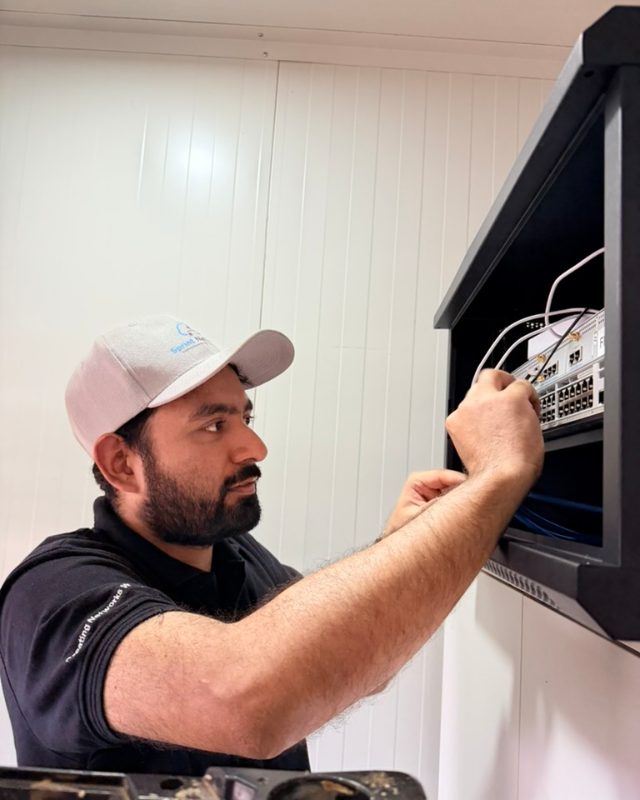
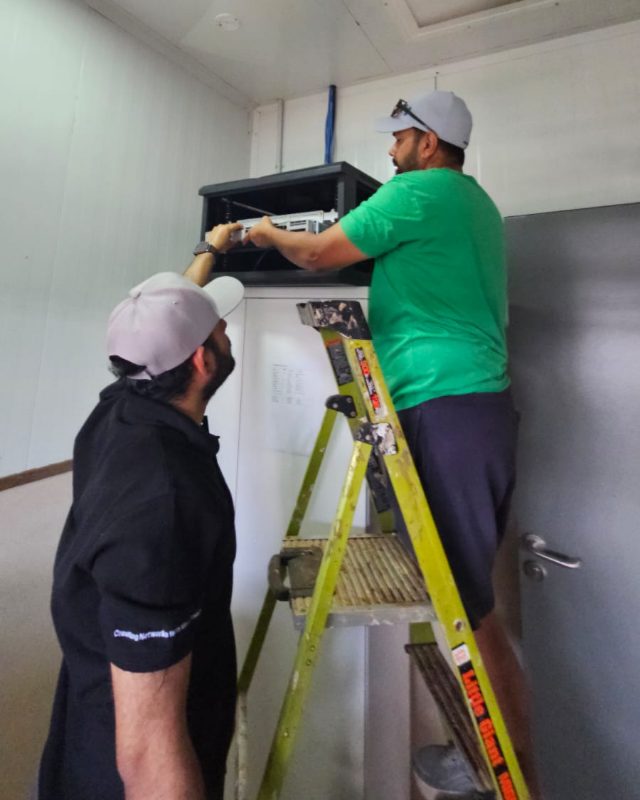
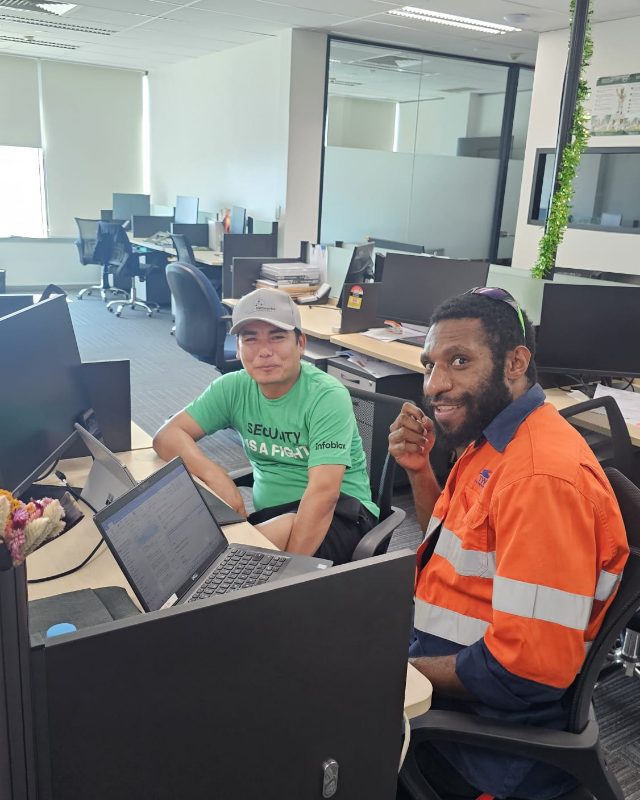
How it works
No big-bang cut-over. We prove the results at one site, then roll out at your pace.
We look at your sites, links and apps, and show you where you’re losing speed, uptime or money.
We design the network around your links and prove it at one site first, so you see results before rolling out.
Devices arrive pre-configured. Plug them in at each site and they connect themselves. No IT staff needed on site.
We monitor, update and support every site around the clock, with regular reports on uptime and performance.
Comparing platforms? Read our notes on Versa Networks, Fortinet, Cisco Viptela and Cisco Meraki.
Yes. We design SD-WAN to use fibre or MPLS, Starlink or other satellite, and 4G/5G together. Each app is sent over the best available link, so sites stay connected even when one link is slow or down.
Yes. SD-WAN works alongside your existing links rather than replacing them. Many clients keep MPLS or fibre for critical systems and add Starlink or 4G for extra capacity and backup.
Class of Service sorts your traffic into priority lanes. Voice and video always go first, business apps next, and backups and updates use the bandwidth that’s left. It means a large download can’t slow down a customer call or a payment.
Traffic moves to the other links automatically, typically in under a second, so users usually don’t notice. Calls, ERP and banking keep running while the faulty link is fixed.
Often, yes. Because every link is used, businesses can combine lower-cost links such as Starlink and 4G and rely less on expensive dedicated circuits, without losing reliability.
Yes. All traffic between sites is encrypted, and each site has its own next-generation firewall and intrusion prevention. Every branch is protected, not just head office.
It depends on the number of sites and links. We usually start with a pilot at one site. Devices arrive pre-configured, so each site connects as soon as it’s plugged in, without an engineer on site.
We’re vendor-agnostic. We’ve tested the leading SD-WAN platforms on real Pacific links, and we choose the one that fits your sites, links and budget. Whatever we deploy, we design, manage and support it for you.
Sprint Networks designs, deploys and manages the whole network, with engineers in Port Moresby and Sydney monitoring it 24/7.
Tell us about your sites and links. A senior engineer will show you where you’re losing speed, uptime or money, and what it takes to fix it.
Prefer to pick a time? Schedule a call · Partner or service provider? Ask about special pricing. Contact usLet’s talk
A senior engineer will review your sites and show you where your network is losing speed, money or security. No obligation.
Loading the form…
Prefer to talk? Call +675 7091 1403 or WhatsApp us.