
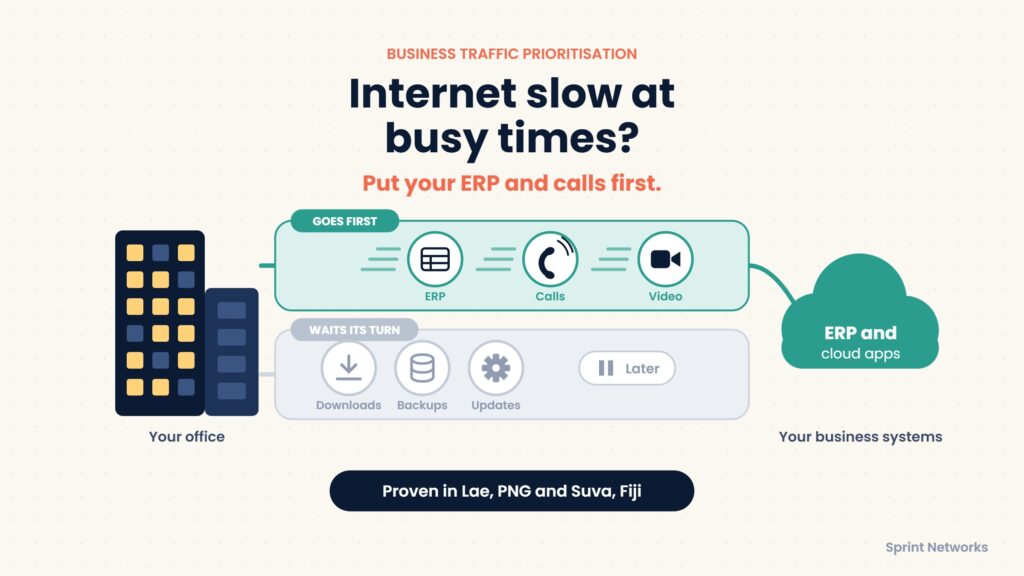
Business traffic prioritisation means telling your network which work must go first when the connection gets busy. Sprint Networks has set this up for Hornibrook NGI in Lae and Golden Manufacturers in Suva, so their ERP keeps working even when everyone is online at once.
Picture a busy office in Port Moresby or Lae. A customer is waiting while a staff member checks stock in the ERP. Someone else is on a Teams call. A laptop starts a big Windows update, and files are copying to the cloud in the background.
All of this shares one internet connection. But it is not all equally urgent. The update can wait. The customer, the payment approval and the phone call cannot.
Why does the internet feel slow at busy times?
Internet links in PNG and across the Pacific are often limited and can be costly to upgrade. When many things run at once, they all fight for the same space. Without clear rules, a large download can grab most of the connection and leave the ERP and phone calls struggling.
Staff usually just say “the internet is slow”. Often the real problem is that nothing tells the network what matters most.
What is business traffic prioritisation?
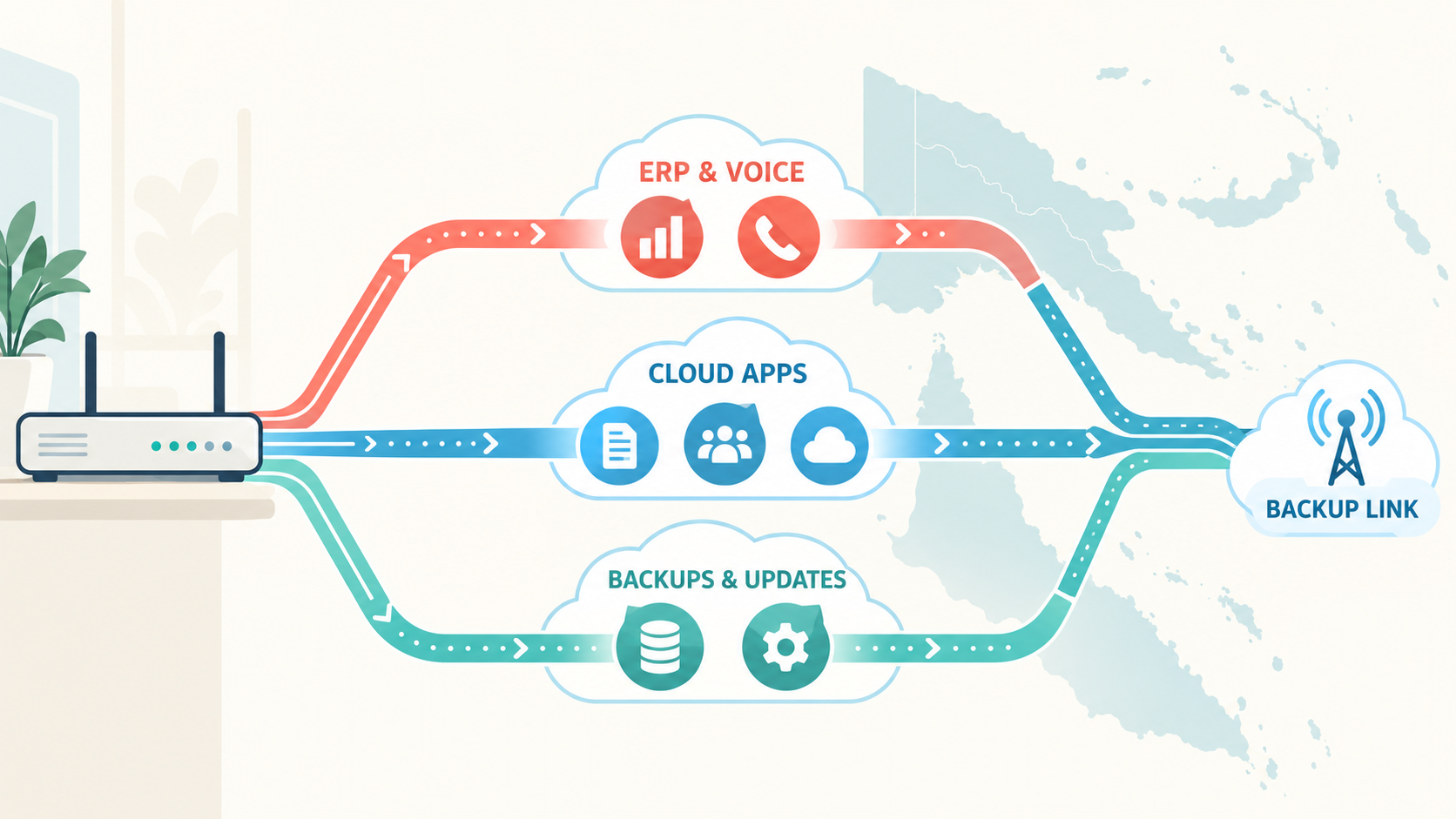
Think of a busy road where everyone moves aside to let the ambulance through first. Business traffic prioritisation does the same for your network. It recognises important work, such as the ERP or a phone call, and lets it through first. Less urgent traffic, such as updates and backups, still gets through, just a little later.
You may hear the term QoS (Quality of Service). It is one of the tools used to do this, and Microsoft recommends it for Teams calls. A good set-up also includes:
- Recognising which application each piece of traffic belongs to.
- Choosing the best internet link when you have more than one.
- Limiting or scheduling big downloads, updates and backups.
- Planning what must keep working if the main link fails.
One thing it does not do is create extra bandwidth. If your essential work alone is bigger than your link, you still need a bigger link. Prioritisation makes sure the space you already pay for goes to the right work first.
Which work should go first?
Every business is different, but most fall into a similar pattern:
| Usually goes first | Usually can wait |
|---|---|
| ERP and stock systems | Software and Windows updates |
| Phone and video calls | Large file downloads |
| Payments and banking | Cloud backups |
| Customer service systems | File syncing to the cloud |
The aim is not to mark everything as “top priority”. If everything is first, nothing is. Good business traffic prioritisation matches the network to what matters to your business.
Business traffic prioritisation in practice: two Pacific businesses
Here is how Sprint Networks has put the ERP first for two clients, one in PNG and one in Fiji.
Hornibrook NGI, Lae PNG: ERP first, on limited PNG links
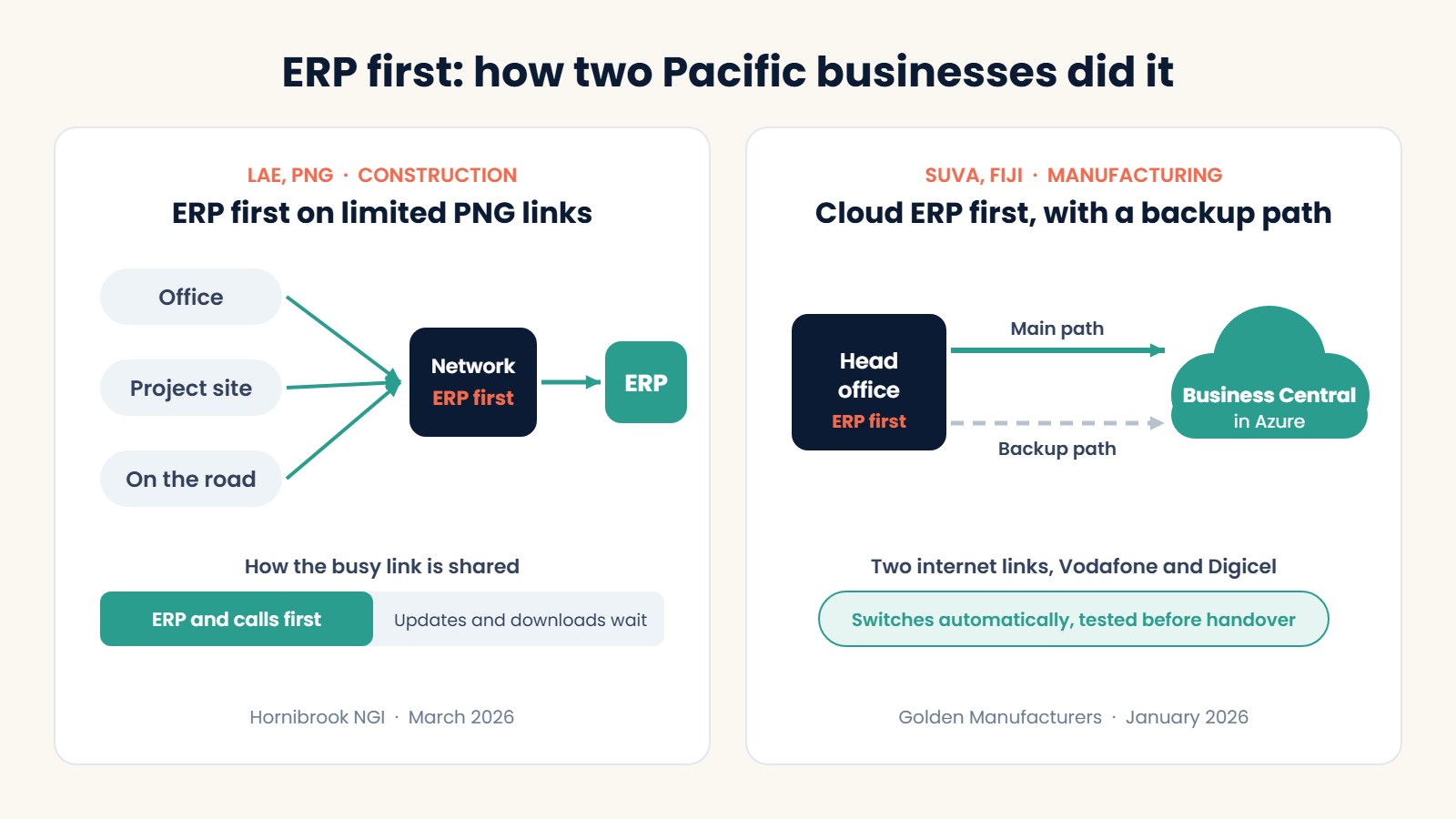
Hornibrook NGI is a construction and civil engineering business with its head office in Lae and teams on projects across PNG. Staff use the ERP for projects, purchasing, stock, payroll and finance, from the office, from site and on the road.
On a limited PNG connection, one big download or video call could make the ERP feel slow. That made business traffic prioritisation part of the fix. In March 2026, as part of a one-week security upgrade, Sprint Networks set the network to recognise ERP traffic and put it first.
The result: staff in the office, on site and working remotely get a steady connection to the ERP, while every connection is still checked for threats. The network is monitored by Sprint Networks 24/7.
Read the full Hornibrook NGI case study.
Golden Manufacturers, Suva Fiji: cloud ERP first, with a backup path
Golden Manufacturers Limited (GML) makes cartons, packaging and labels in Fiji. Orders, stock, production and deliveries all run through Microsoft Dynamics 365 Business Central in the Azure cloud.
Sprint Networks set the network to give Business Central priority over general internet use. GML’s head office now has two internet paths to Azure, through Vodafone and Digicel. If the main path fails or fills up, traffic switches to the second one automatically. This was tested before handover in January 2026. GML’s IT team can also now see which applications are using the network, which makes problems easier to find.
The result: the ERP gets first use of the connection, with a tested backup path if the main link fails.
Read the full Golden Manufacturers case study.
Hornibrook and GML at a glance
| Hornibrook NGI | Golden Manufacturers (GML) | |
|---|---|---|
| Location | Lae, PNG, plus project sites | Suva, Fiji, plus branches |
| Industry | Construction and civil engineering | Packaging manufacturing |
| Key system | ERP used in the office, on site and on the road | Business Central ERP in Azure |
| What we set up | ERP traffic recognised and put first | Business Central put ahead of general internet use |
| Paired with | Firewall, secure remote work, 24/7 monitoring | Two internet paths with tested automatic switching |
| Completed | March 2026, in one week | January 2026 |
What happens when the main link fails?
Many PNG and Pacific businesses have a backup link, but it is often smaller than the main one. When it takes over, there is even less space to share. That is when business traffic prioritisation matters most.
A good set-up keeps the ERP, phone calls and key cloud systems working on the backup link, and slows down or pauses less urgent traffic until the main link is back. This is exactly what GML’s tested failover is for. Our guide to keeping your business working when the main connection fails explains this in more detail.
4 steps to set up business traffic prioritisation
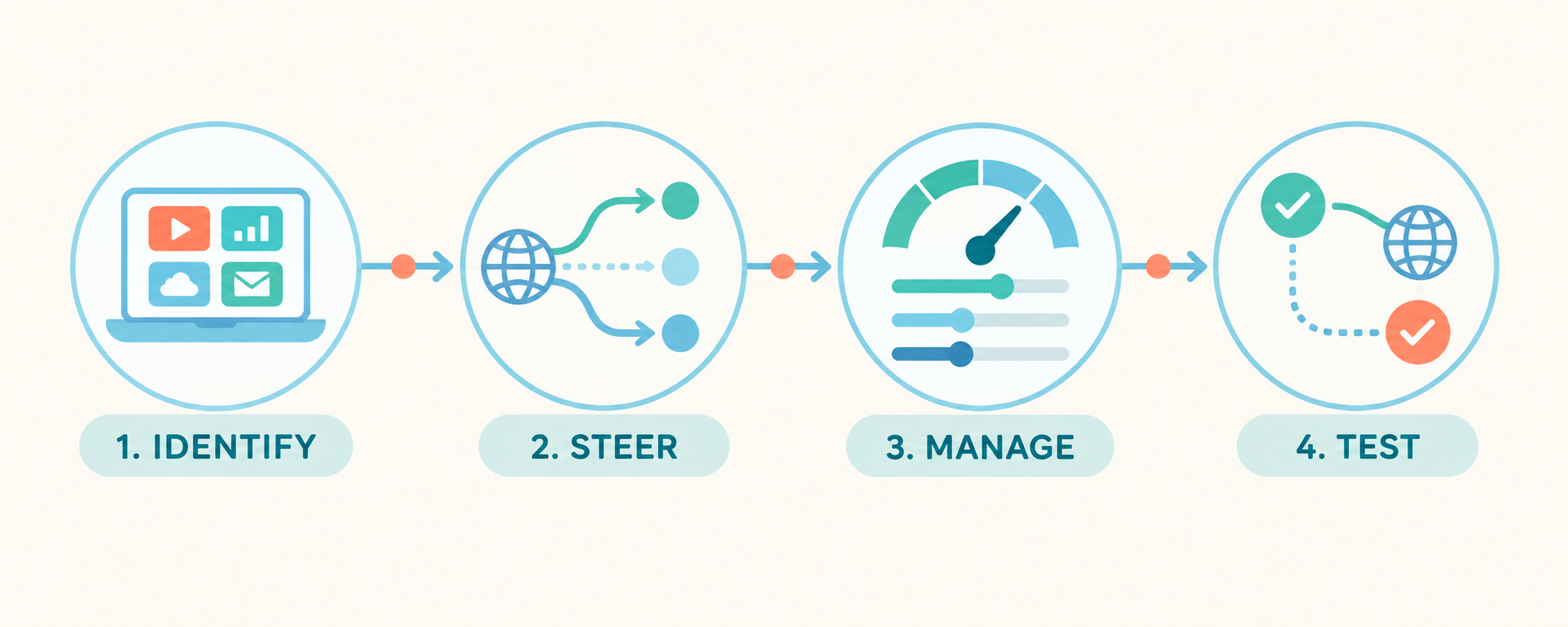
- Identify. List the systems your staff rely on, who uses them and when they are busiest.
- Steer. If you have more than one internet link, decide which work should use which link.
- Manage. Put the important work first, and limit or schedule updates, backups and big downloads.
- Test. Check it at your busiest times and on the backup link. Make sure staff can actually get their work done.
What both projects teach about business traffic prioritisation
- Start with the work, not the equipment. Both projects began by asking which system the business could not do without. In both cases, it was the ERP.
- Priority and security go together. At Hornibrook, ERP priority sits alongside the firewall and secure remote access. At GML, it sits alongside a second internet path and secure remote access through ZTNA.
- Test before you rely on it. GML’s automatic switching was tested before handover, not assumed.
- Keep watching. Business needs change. Someone should review the priorities and how the network is used over time.
Is your network ready for busy times?
It is worth a conversation if any of these sound familiar:
- Staff say “the internet is slow” at the same times every day.
- Phone or video calls drop or break up when the office is busy.
- Your ERP slows down when updates or backups are running.
- You have a backup link but have never tested it under real load.
Sprint Networks sets up business traffic prioritisation as part of our SD-WAN and Secure ERP Access services, designed and tested for Pacific conditions. Contact Sprint Networks to talk about your network, or browse all our client case studies.
Frequently asked questions
What is business traffic prioritisation?
It means setting rules so the network sends important work, such as the ERP or phone calls, first when the connection is busy. Less urgent traffic, such as updates and backups, still gets through, just a little later.
Will it make my internet faster?
No. It does not add bandwidth. It shares the bandwidth you already have more sensibly, so the most important work is not slowed down by less important traffic. If your essential work alone needs more than your link can carry, you will still need a bigger link.
Is this the same as QoS?
QoS (Quality of Service) is one part of it. A complete set-up also recognises applications, chooses the best internet link, schedules big transfers and plans for when the main link fails.
Which applications should go first?
Usually the ERP, phone and video calls, payment systems and customer service systems. The right order depends on how your business works, so it should be agreed with the people who use the systems.
How did Sprint Networks use traffic prioritisation for Hornibrook NGI?
Sprint Networks set Hornibrook’s network in Lae to recognise ERP traffic and put it first, so staff in the office, on site and working remotely get a steady connection to the ERP on limited PNG links.
How did Sprint Networks use traffic prioritisation for GML?
Sprint Networks gave GML’s Business Central ERP priority over general internet use, and added a second internet path to Azure with tested automatic switching if the main path fails.
One Response