
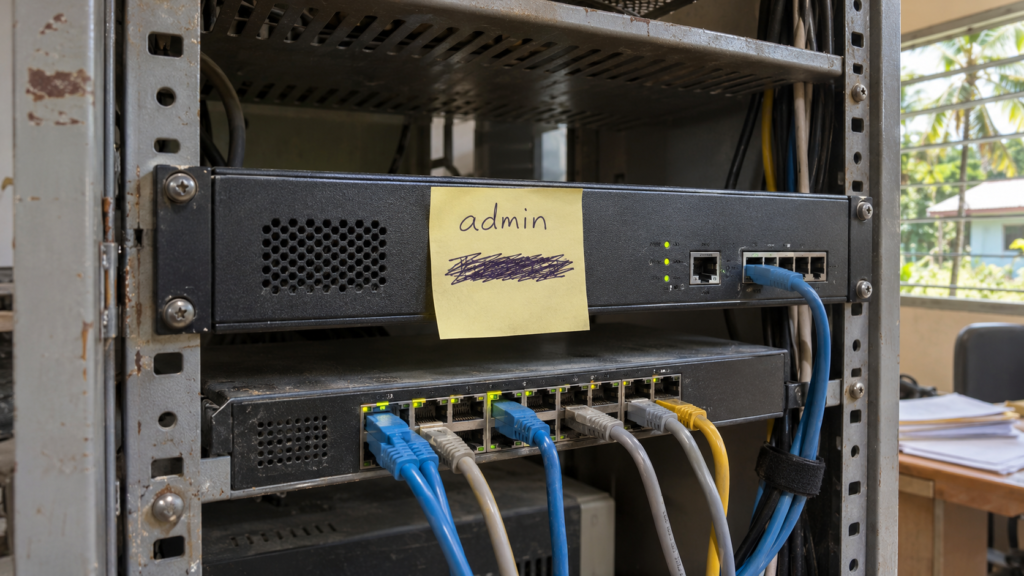
If everyone on your team logs in to your network equipment as “admin”, your logs can tell you what changed, but not who changed it. This article explains the real pros and cons of shared admin logins, what AAA (authentication, authorisation and accounting) means in plain language, and how to put a name next to every change on your network.
It’s Monday morning. Staff can’t reach a critical system. Your team quickly finds the cause: a firewall rule changed a few minutes before the outage.
You open the log, expecting a name. It says admin.
You use that login. So does the rest of the team. A former contractor might still know the password. It could be saved in a browser on someone’s laptop, or sitting in an old support chat. Now, while the business waits for service to come back, your team has two problems at once: fix the outage, and work out whether this was a simple mistake or someone who shouldn’t have been in.
Think about the last time you used a shared admin password for a quick change. If that login showed up in tomorrow’s logs, could you prove it was, or wasn’t, you?
How far can you follow the trail?
With a shared login, finding out who made a change turns into detective work. A typical investigation looks like this:
- Compare the firewall’s current settings with the last backup to see exactly what changed.
- Pull the time and source IP address from the firewall log.
- Match that IP address against VPN records and the server your team uses to manage the network.
- Check which laptops or desktops were connected around that time.
Sometimes the records line up. Often they don’t. The IP address leads to a shared server that five people use. The logs you need were never switched on. Or you find the device, but the password could have leaked from somewhere else entirely.
This can take hours, while your team is also trying to restore service. You may end the day knowing exactly what changed, and still not know who did it, how they got in, or whether a device has been compromised. And when everyone signs in as admin, everyone who knows the password is under suspicion, including the people who did nothing wrong.
Why shared logins are so common in the Pacific
Shared admin passwords usually aren’t laziness. They grow out of how IT really works for businesses across the Pacific Islands:
- Small teams cover everything. One or two people look after the whole network, so one login feels simpler than many.
- Contractors come and go. Vendors and fly-in specialists are given the password to get a job done, and it rarely gets changed when they leave.
- Sites are spread out. Offices, branches and outer-island sites make it hard to visit each device and update passwords one by one.
- Staff move on. When a team member resigns, changing a password on every switch, router and firewall is a big job, so it often waits.
- Old settings never change. Equipment set up years ago by someone who has since left is often still running on the same password.
Each of these makes sense on its own. Together, they leave a door open that nobody is watching.
What is AAA? Three questions every network should answer
Network professionals use the term AAA for the three checks that control who can manage your network equipment. A hotel or resort key card system is a good way to picture it.
| The A | The question it answers | The hotel key card version |
|---|---|---|
| Authentication | Who are you? Each person proves it with their own username, password and a second check on their phone (MFA). | Every guest shows ID at the front desk and gets their own key card. |
| Authorisation | What are you allowed to do? Each person gets only the permissions their job needs. | Your card opens your room and the pool, not the kitchen or other guests’ rooms. |
| Accounting | What did you do? Every login and change is recorded with a name, time and device. | The front desk can see which card opened which door, and when. |
A shared “admin” password fails all three. It proves someone knows the password, not who they are. It gives everyone full control. And the log can only ever say “admin”.
How AAA works behind the scenes
Without AAA, every switch, router and firewall keeps its own list of passwords. With AAA, the devices check with one central system instead:
- An engineer connects to a firewall and enters their own username, password and MFA code.
- The firewall asks the central system: is this person who they say they are, and what are they allowed to do?
- The central system answers, and the engineer gets in with only the access their role allows.
- Every login and command is sent back to the central system and recorded, away from the device itself.
Devices talk to the central system using common standards called TACACS+ and RADIUS. You don’t need to know how they work. What matters is that most business-grade network equipment already supports one or both, so AAA can usually be added without replacing hardware.
Shared admin logins vs AAA: the problems and the fixes
A shared admin login feels quick and simple, which is why it’s so common. But that convenience comes with real costs. Here’s each problem, and how AAA fixes it.
| The problem with a shared admin login | How AAA fixes it |
|---|---|
| No record of who made a change. The log only ever says “admin”. | Accounting records every login and change with a person’s name, the time and the device they used. |
| Everyone has full control. One wrong command from anyone can take down the network. | Authorisation gives each person only the access their role needs. A help desk technician can look, but not change. |
| Leavers keep access. Former staff and contractors can still log in until the password is changed everywhere. | Each person has their own account, so one person’s access is switched off in seconds without affecting anyone else. |
| A leaked password looks normal. A stranger using the password looks exactly like your own team. | Authentication with MFA means a password on its own isn’t enough to get in, and a login that doesn’t fit a person’s normal pattern stands out. |
| Changing the password is a big job. Every device needs updating and every user needs telling, so it rarely happens. | Nobody shares a password, so there’s nothing to change across devices. Each person looks after their own login. |
| Investigations take hours. And everyone who knows the password is under suspicion. | Investigations start with a named session, so answers come in minutes and innocent staff are cleared straight away. |
| Hard to defend in an audit. “Everyone uses admin” is a red flag for banks, insurers and regulators. | Named accounts and a full activity record give you audit-ready evidence of who accessed what, and when. |
Setting up AAA takes some planning: devices need to be connected to the central system, and roles need to be agreed. It’s usually rolled out in stages, starting with your most critical equipment.
The verdict
For a one-person office with a single router, a strong, well-looked-after password may be enough. But once more than a couple of people, any contractors, or more than one site are involved, the problems with a shared login quickly outweigh the effort of setting up AAA.
For your manager: why this matters to the business
- Shorter outages. Less time working out who did what means more time restoring service.
- Real accountability. You can fix a process, or clear an innocent staff member, because you know who made the change.
- Break-ins are easier to spot. A login that doesn’t match a real person’s normal activity stands out.
- Audit-ready. Named accounts and a record of who accessed what are what auditors, insurers and regulators expect.
The fix: Sprint Accountability Tool
The Sprint Accountability Tool brings AAA to your network. Every administrator gets their own login, protected by MFA, with access set by their role and every action recorded, all managed from one dashboard. It works with the switches, routers and firewalls you already have.
- Authentication: each person signs in with their own username, password and phone approval.
- Authorisation: a help desk technician can check a switch without changing it, an engineer can make approved changes, and a contractor can reach only the devices they’re there to work on.
- Accounting: every login and change is recorded with a name, time and device, and stored away from the equipment so it can’t be quietly wiped.
- Fast offboarding: when someone leaves, switch off their access from the dashboard. No password reset across every device.
- One view of every site: see sign-ins and activity across all connected devices, from the head office to the furthest branch.
We’ve built and tested this in Pacific conditions, where sites are remote, links can be unreliable and IT teams are small. It is designed to keep working the way your network does, not the way a Silicon Valley brochure assumes it does. It also fits alongside secure access for staff and contractors and our wider managed cybersecurity services.
Back to Monday morning
Here’s the same outage, with and without the Sprint Accountability Tool.
| Shared “admin” login | Sprint Accountability Tool | |
|---|---|---|
| Who made the change? | Unknown. Anyone with the password. | A named person, with the time and device. |
| Where does the investigation start? | Backups, IP addresses, VPN logs and guesswork. | That person’s session and activity record. |
| Suspect a stolen login? | Reset the password everywhere and hope. | Switch off that one account from the dashboard. |
| Contractor finished last month? | They may still know the password. | Their access was removed the day they left. |
| Time to answers | Hours, sometimes never. | Minutes. |
Five questions to ask about your network today
- How many people know the admin password for your firewall?
- When was it last changed?
- Do any former staff or contractors still know it?
- If a setting changed this morning, could you name who changed it within minutes?
- Are your logs stored somewhere an intruder couldn’t delete them?
If you answered “not sure” to any of these, you’re not alone, and it’s easier to fix than you might think.
Book a free admin access review
If your firewall log showed admin this morning, how many people would you have to call?
Sprint Networks offers a free admin access review for businesses across the Pacific Islands. We will:
- Find out who can currently log in to your switches, routers and firewalls.
- Identify shared passwords and old accounts that should be closed.
- Check which of your devices are ready for AAA.
- Show you how the Sprint Accountability Tool would work on your existing network.
No obligation. You’ll walk away knowing exactly where your access risks are. Book your free admin access review.
Frequently asked questions
What does AAA stand for in networking?
Authentication, authorisation and accounting. In plain terms: who are you, what are you allowed to do, and what did you do?
Why are shared admin passwords a security risk?
They hide who made each change, they stay valid after staff or contractors leave, and a leaked password looks exactly like a normal login.
Do we need to replace our network equipment?
Usually not. Most business-grade switches, routers and firewalls already support AAA through TACACS+ or RADIUS. We check every device during the review.
What happens if the connection to the central system drops?
Each device keeps a sealed emergency account that is only used when the central system can’t be reached. Its password is changed after every use.
What is role-based access?
Each person only gets the permissions their job needs. A help desk technician can view settings, while a network engineer can change them.
How quickly can we remove a contractor’s access?
Straight away, from one dashboard. Nobody else’s password needs to change.
Does this work for businesses spread across the Pacific?
Yes. It’s designed and tested for small IT teams, remote sites and the connectivity challenges businesses face across the Pacific Islands.