
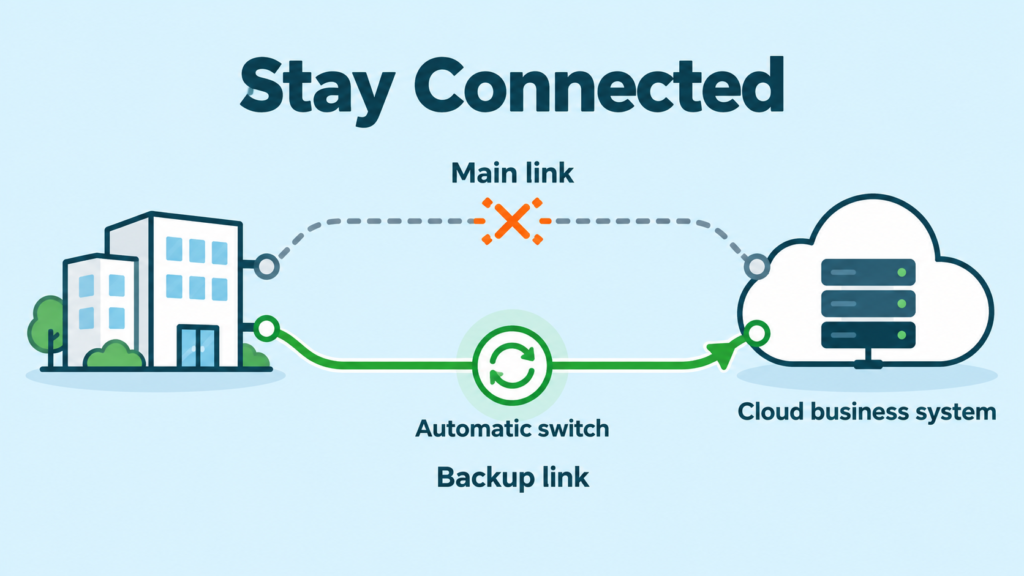
Resilient connectivity means having a sensible plan for when a connection stops working. It helps your business keep reaching the systems it needs, even when one network path has a problem.
Imagine that staff are taking orders, checking stock or sending invoices in a cloud system. Then the main connection fails. The application may still be fine, but your people cannot reach it. Work slows down until someone fixes the route.
A better network has another safe way to reach the important system. When the main path fails, it can switch to the backup path automatically. This is called automatic failover.
Why one connection can cause a big problem
Many businesses rely on cloud apps, branches and online services every day. When one important link goes down, a whole office can lose access to stock, orders, voice calls, payments or email.
The problem is not always a complete outage. A link can still look connected while being too slow or unreliable for staff to use. Lost data packets and long delays can make an ERP system or voice call feel broken.
What resilient connectivity means
Resilient connectivity gives your business more than one possible route to important systems. That could include two internet services, two network devices or two secure paths to a cloud app.
The key word is useful. A second service is not enough if both links depend on the same device, the same building entry point or an untested setup. The whole journey needs to be considered.
What automatic failover does
Automatic failover watches the main route. When it finds a real problem, it moves traffic to a working backup route. Staff may notice a short pause or need to reconnect to an app, but they do not have to wait for someone to manually change cables or settings.
It is like having a second road ready when the first road is blocked. The second road needs to be real, open and big enough for the important traffic.
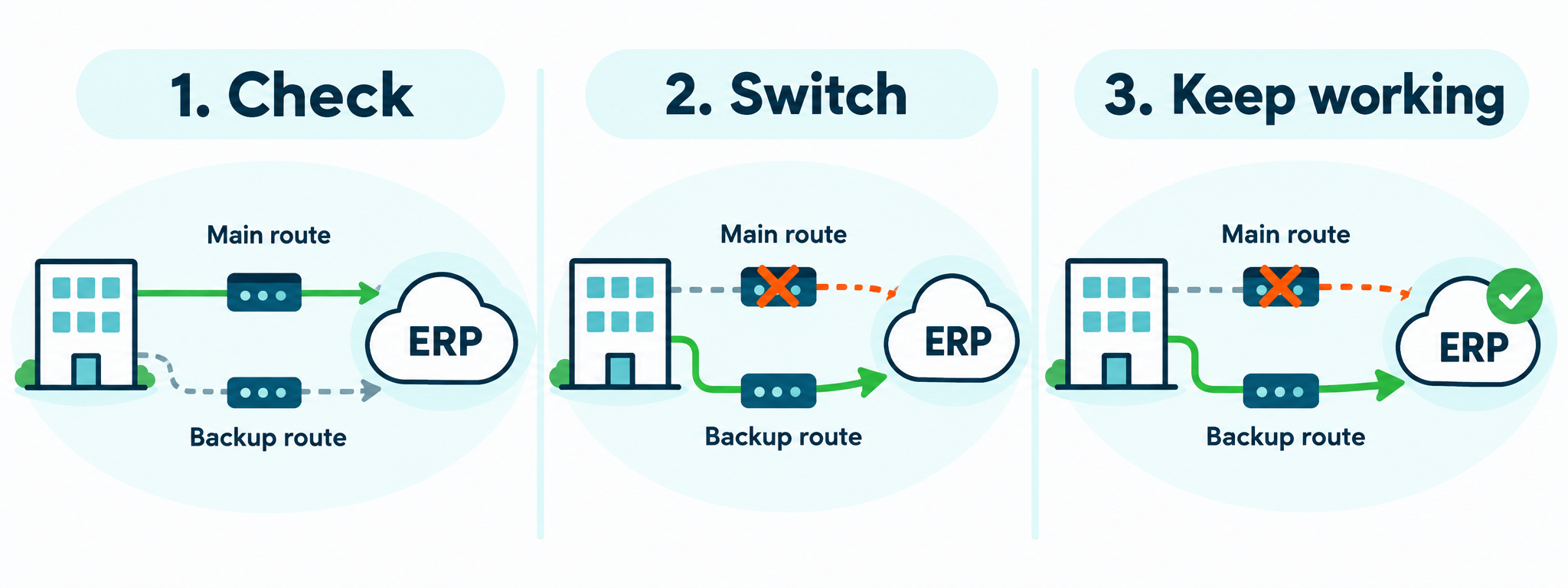
A simple example
Think of a business with a branch office using a cloud ERP system for orders and stock. Its main link stops working in the middle of the day. Without a backup, staff cannot check stock or finish orders. With a tested backup route, the network can move ERP traffic across the other path and keep the most important work moving.
Not everything needs equal priority during a backup event. A smaller backup link may be enough for ERP, calls and payment systems, while large downloads, updates and backups wait. This is why resilient connectivity and traffic prioritisation work well together.
Two links do not always mean two safe paths
It is easy to see two internet bills and assume the business is protected. But both services may share the same router, power source, cable path or local equipment. If that shared part fails, both links can fail too.
Sprint Networks looks for these shared weak points. We help choose a practical design based on the systems you use and the types of outage that would hurt your business most.
Test the backup before you need it
A backup that has never been tested is only an idea. Testing should prove that staff can still open the applications they need after the main path is switched off. It should also check what happens when the main connection returns.
Testing does not need to be scary. It is simply a planned check: does the network move to the backup route, and can people still do the important parts of their jobs?
How Sprint Networks helps
Sprint Networks begins with your real work. Which applications are essential? Which sites need to stay connected? How much downtime can you accept? We then design a right-sized network with suitable backup paths, safe security controls and tests that match your business.
For PNG and Pacific businesses, that means designing for your actual links, locations and day-to-day needs, not copying a solution made for a completely different environment.
A practical example from the Pacific
Golden Manufacturers Limited in Fiji depends on Microsoft Dynamics 365 Business Central in Azure. Its old setup depended on one working tunnel and one head-office device. Sprint Networks redesigned the connection with two working SD-WAN tunnels, two devices at head office and tested automatic failover.
The goal was clear: provide a tested alternative path for the ERP system if the main one failed. Read the Golden Manufacturers case study.
Frequently asked questions
What is resilient connectivity?
It is a network design with practical alternatives, so important business systems can keep working or recover quickly when part of the network fails.
What is automatic failover?
Automatic failover moves traffic to a working backup route when the network detects a problem with the main route.
Will a backup link prevent every interruption?
No. The result depends on the type of failure, the setup, the backup capacity and how the application reconnects. But a tested alternative can greatly reduce the impact of many common connection failures.
Can Sprint Networks test our current backup setup?
Yes. Sprint Networks can review your current connections, identify shared weak points and test how important business applications behave during failover.
2 Responses