
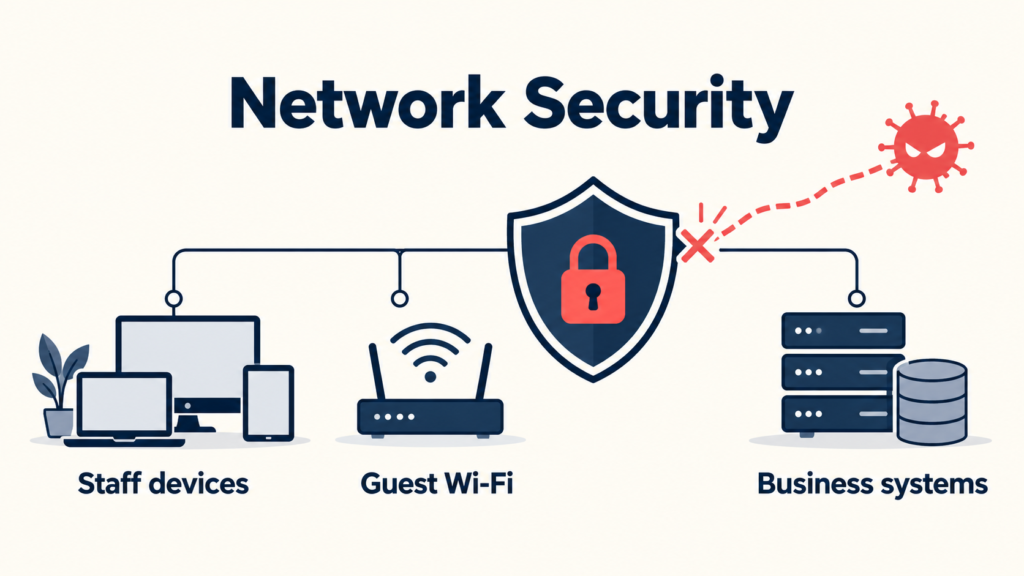
Network security for PNG businesses means one simple thing: the right people and devices reach the right systems, and nothing else. Staff get to work without delays, guests get internet only, and a hacked phone or laptop cannot wander through your network to reach the ERP, payroll or customer data.
Think about a normal day in a Port Moresby or Lae office. A staff member checks an order. A visitor joins the Wi-Fi. A security camera sends video. Someone opens a cloud app. A supplier logs in to fix a system. They all use the same network, but they should not all be able to reach the same places.
That is what good network security for PNG businesses does. It puts simple, sensible boundaries around the work your business relies on, without slowing anyone down.
What can go wrong without network security?
In many PNG offices, everything shares one open network: computers, servers, Wi-Fi, printers, cameras and phones. It works, until something goes wrong. Common problems we see:
- A guest phone sits next to your business systems. Anyone on the Wi-Fi can see devices they should never reach.
- One infected laptop spreads the problem. Ransomware moves from one device to the server, then to the backups.
- Old supplier access stays open. A contractor finished months ago, but their login still works.
- The firewall is years out of date. Attackers scan the internet all day for old firewalls with known security holes.
- Remote access is open to the whole internet. Protected by a password alone, so one guessed or stolen password opens the door.
None of this means you need a huge, expensive setup. It means each connection should have a clear reason to exist.
Network security for PNG businesses in simple words
Think of your office building. Visitors wait in reception, staff use their own floors, and only a few people have a key to the server room. Network security does the same thing for your network:
- The firewall is the front door and security guard. It checks what comes in and goes out, and blocks known attacks.
- Network zones are the separate rooms. Guests, staff, cameras and servers each get their own space.
- Access rules are the keys. Each person and device only gets the keys they need.
- Monitoring is the security camera. Someone watches for anything unusual, day and night.
Keep different parts of the network apart
Not every device needs the same access. Staff laptops, guest Wi-Fi, CCTV cameras, phones and payment devices all have different jobs. Splitting them into separate zones (often called network segmentation) is one of the most effective things a business can do. It is a standard recommendation in international security guidance such as the NIST Cybersecurity Framework, for a simple reason: if one device is compromised, the problem stays in one place instead of spreading. And if something does go wrong, cyber incidents in PNG can be reported to PNGCERT, the national Computer Emergency Response Team.
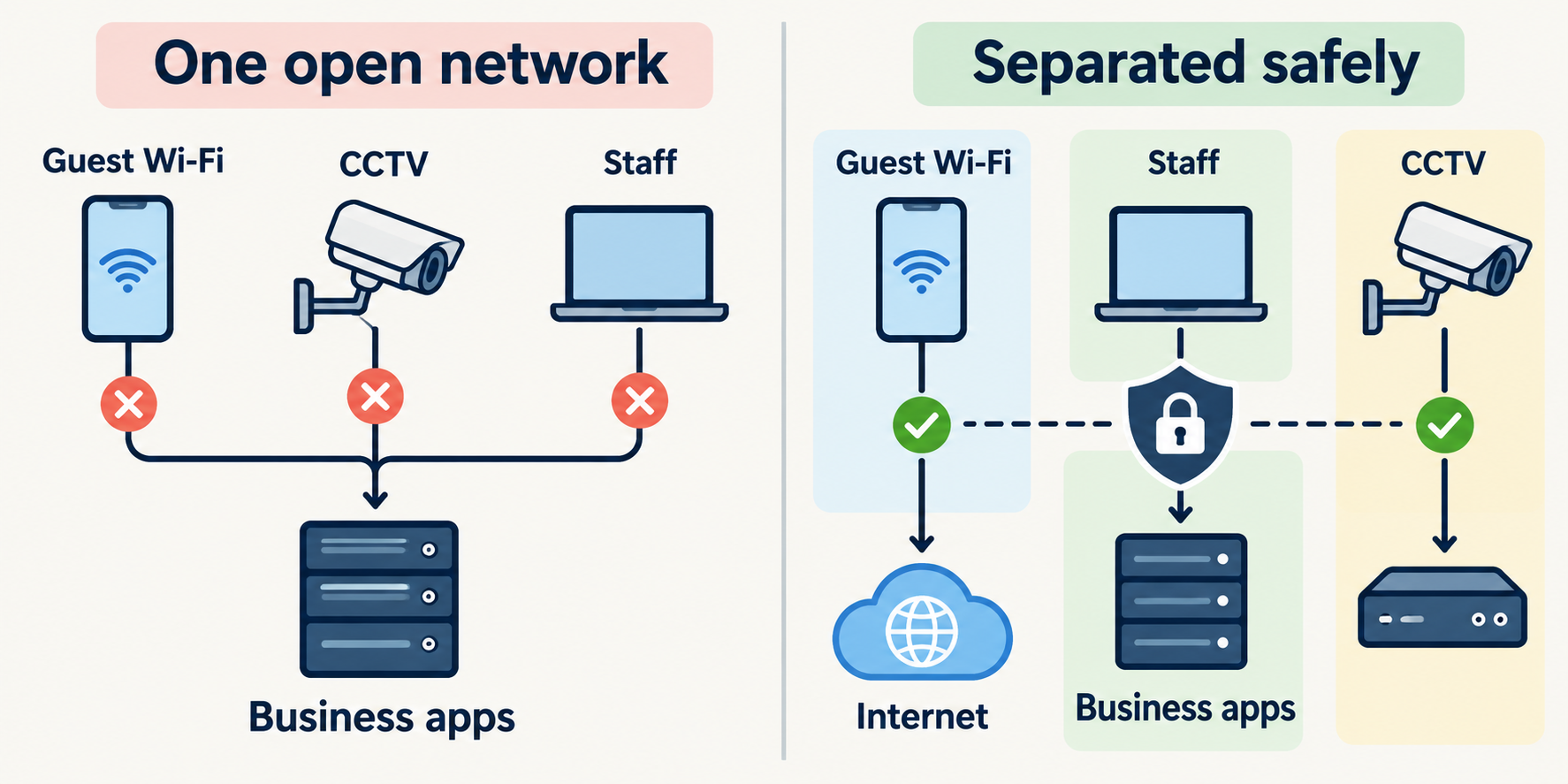
| Zone | Who or what is in it | What it can reach |
|---|---|---|
| Business systems | ERP, file and finance servers | Only approved staff and apps |
| Staff | Office computers and laptops | The systems each team needs |
| Guest Wi-Fi | Visitors and personal phones | Internet only |
| Devices | CCTV, printers, smart devices | Only what they need to work |
5 simple steps to stronger network security for PNG businesses
- Update or replace an old firewall. A next-generation firewall does more than open and close ports. It looks inside traffic, blocks known attacks and harmful files, and filters dangerous websites.
- Split the network into zones. Start with the four zones above. For most network security for PNG businesses, this one change makes the biggest difference. Guests should never share a network with your business systems.
- Lock down remote access. Replace password-only remote logins with multi-factor sign-in and zero trust access (ZTNA), so staff and suppliers reach only the apps they need.
- Clean up old access. Remove accounts and rules for staff who have left, finished contractors and old projects.
- Watch it every day. A firewall records warnings, but someone has to read them. Set up monitoring, or get a partner to do it for you 24/7.
A firewall is not a set-and-forget box
Businesses change all the time. Staff join and leave, new apps arrive, a supplier finishes a project, a new branch opens. The security rules need to keep up.
Firewalls also need regular updates. When a vendor releases a fix for a security hole, attackers know exactly where to look, and they scan for firewalls that have not been patched. An out-of-date firewall can quietly turn from protection into the way in.
Good ongoing management means old access is removed, updates are applied, alerts are looked at and new connections are tested before they affect staff.
Good network security for PNG businesses helps your team, not slows it down
Rules that are too loose expose the business. Rules that are too strict stop staff doing their jobs, and they start finding workarounds. The best approach is to understand how your team works first, then build clear rules that protect that work.
This matters in PNG and across the Pacific, where branches, cloud apps, remote staff and different internet links (fibre, 4G, satellite and Starlink) are often all part of the same working day. A good firewall can also give your ERP and calls priority on busy links, so security and speed work together.
How Sprint Networks helps
Sprint Networks designs and manages network security for PNG businesses, and for organisations across Fiji, the Solomon Islands and the Pacific, from our office in Port Moresby. We work alongside your IT team, not instead of them. Your team stays in control, and we take on the specialist work and the 24/7 watching.
- Review: we look at your firewall, network layout and remote access, and show you the gaps.
- Design: right-sized firewall rules and network zones that fit how your business works.
- Change safely: we test first and switch over after hours, so the business keeps running.
- Manage and monitor: updates, rule reviews and 24/7 monitoring as part of our managed cybersecurity services.
Want to see how this works in practice? Have a look at our client case studies, including how a construction business in Lae replaced an old firewall and split its network into secure zones in one week.
For a wider view of protecting your business, read our guide to cybersecurity for PNG businesses. Ready to check your own network? Book a free security check or contact Sprint Networks.
Frequently asked questions
What is network security for PNG businesses?
It is the firewall, network zones, access rules and monitoring that control who and what can reach your business systems. The goal is simple: staff can work, guests get internet only, and attackers cannot move around your network.
What is a next-generation firewall?
It is a modern firewall that does more than block ports. It looks inside traffic, stops known attacks and harmful files, filters dangerous websites and can recognise important business apps.
What is network segmentation?
It means splitting one network into separate zones, for example guests, staff, cameras and servers. If one device is infected, the problem stays in that zone instead of spreading to the whole business.
Should guest Wi-Fi be on a separate network?
Yes. Guest Wi-Fi should only reach the internet, never your business systems. It is one of the quickest and most important network security fixes.
How often should a firewall be updated?
Security updates should be applied soon after the vendor releases them, and the rules should be reviewed regularly, at least whenever staff, suppliers, apps or sites change.
Does network security slow down the internet?
Not when it is designed well. A good setup protects traffic without getting in the way, and can even give important apps like your ERP priority on busy links.
Will Sprint Networks replace our IT team?
No. We work alongside your IT team. They stay in control of your systems, and we handle the specialist network security work and 24/7 monitoring.